Deine AI recherchiert.
Deine Liste füllt sich von selbst.
Erstelle eine leere Liste mit den Spalten, die du brauchst. Teile eine URL mit Claude, ChatGPT oder einem beliebigen AI-Agenten. Er liest das Schema, recherchiert Leads und fügt sie hinzu — automatisch. Du bestimmst die Leitplanken: welche Spalten die AI sieht und was sie ändern darf.
Start FreeLeere Liste erstellen
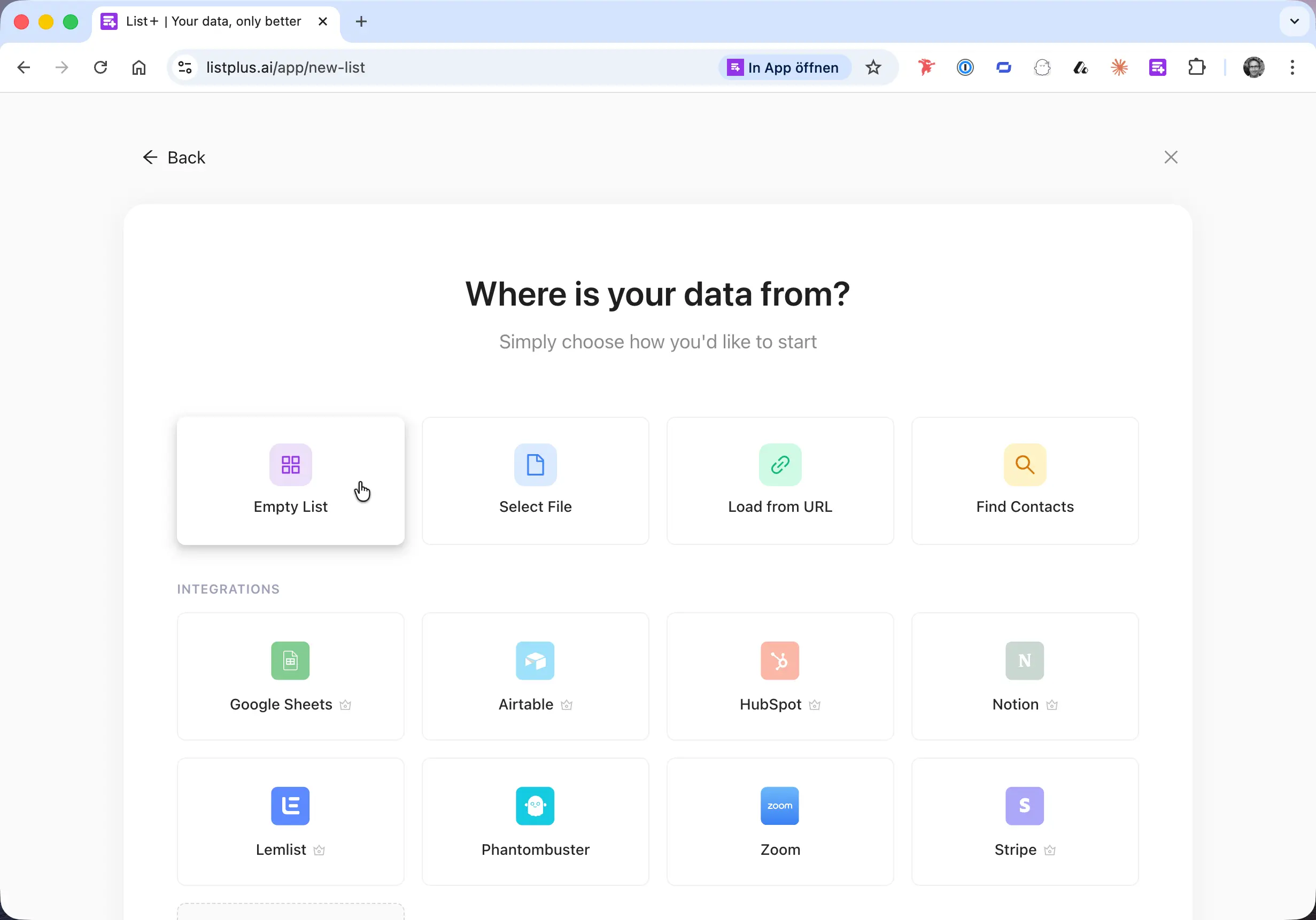
Wähle „Leere Liste“ und ein Template — Kontaktliste, Firmenliste oder eigene Spalten. Dein Schema sagt der AI genau, welche Daten sie sammeln soll.
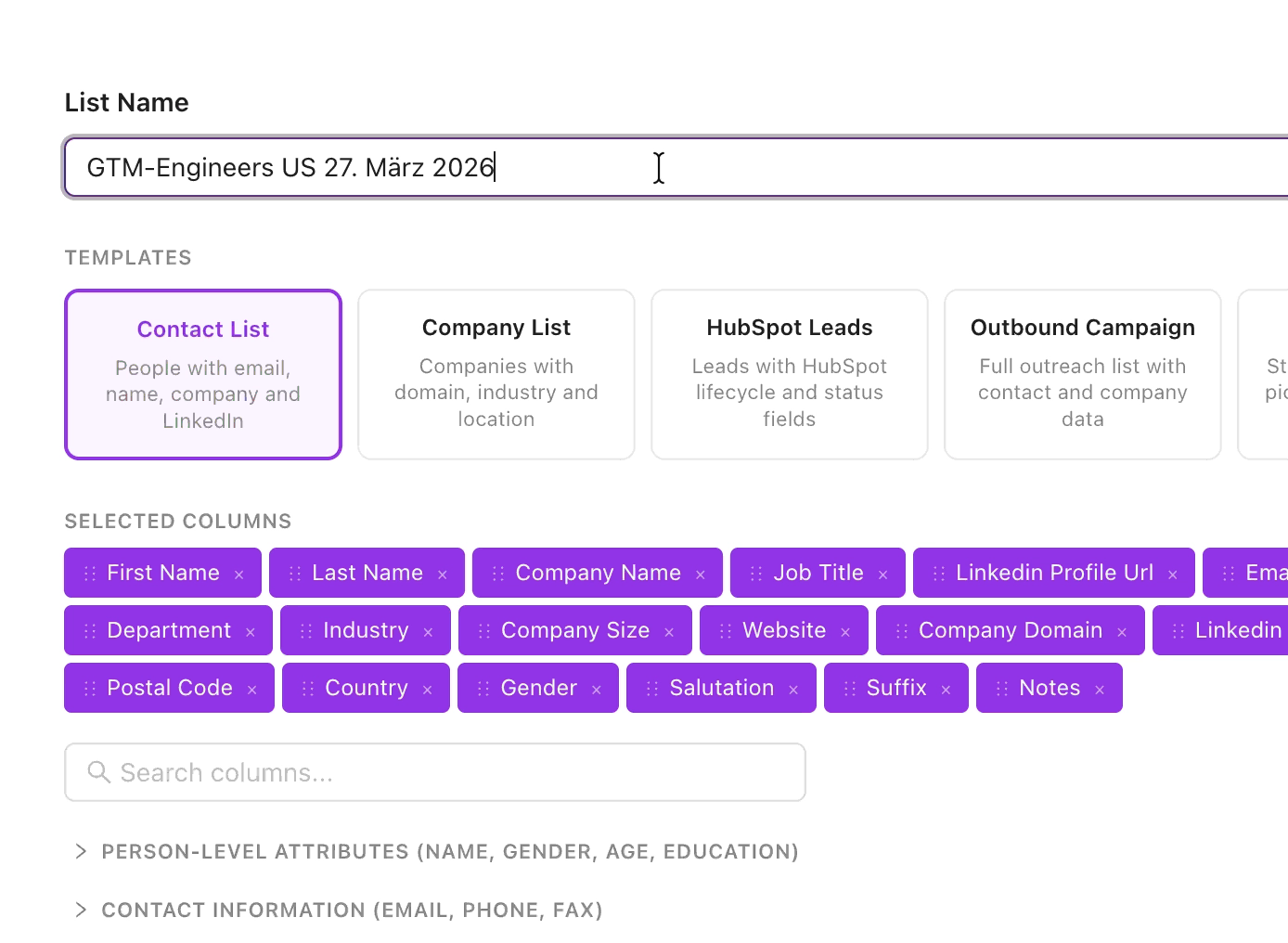
Benennen und Spalten wählen
Gib deiner Liste einen Namen und wähle die Spalten — Name, E-Mail, Firma, Jobtitel, LinkedIn, Telefon, Branche und mehr. Die AI weiß dann, was sie füllen soll.
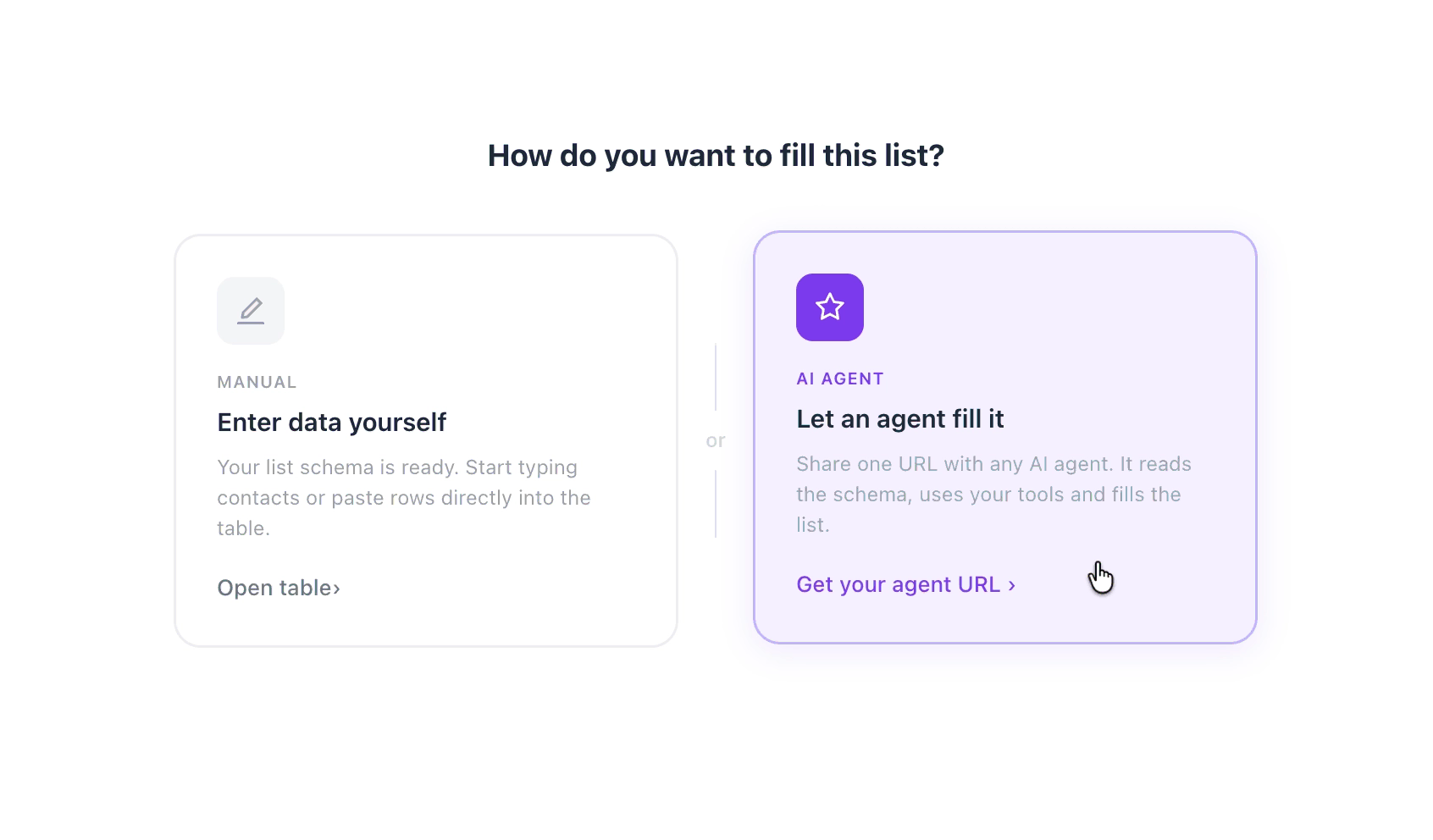
AI Agent Modus wählen
Nach dem Erstellen der Liste wähle „Einen Agenten füllen lassen“ statt Daten manuell einzugeben. Ein Klick für deine Agent-URL.
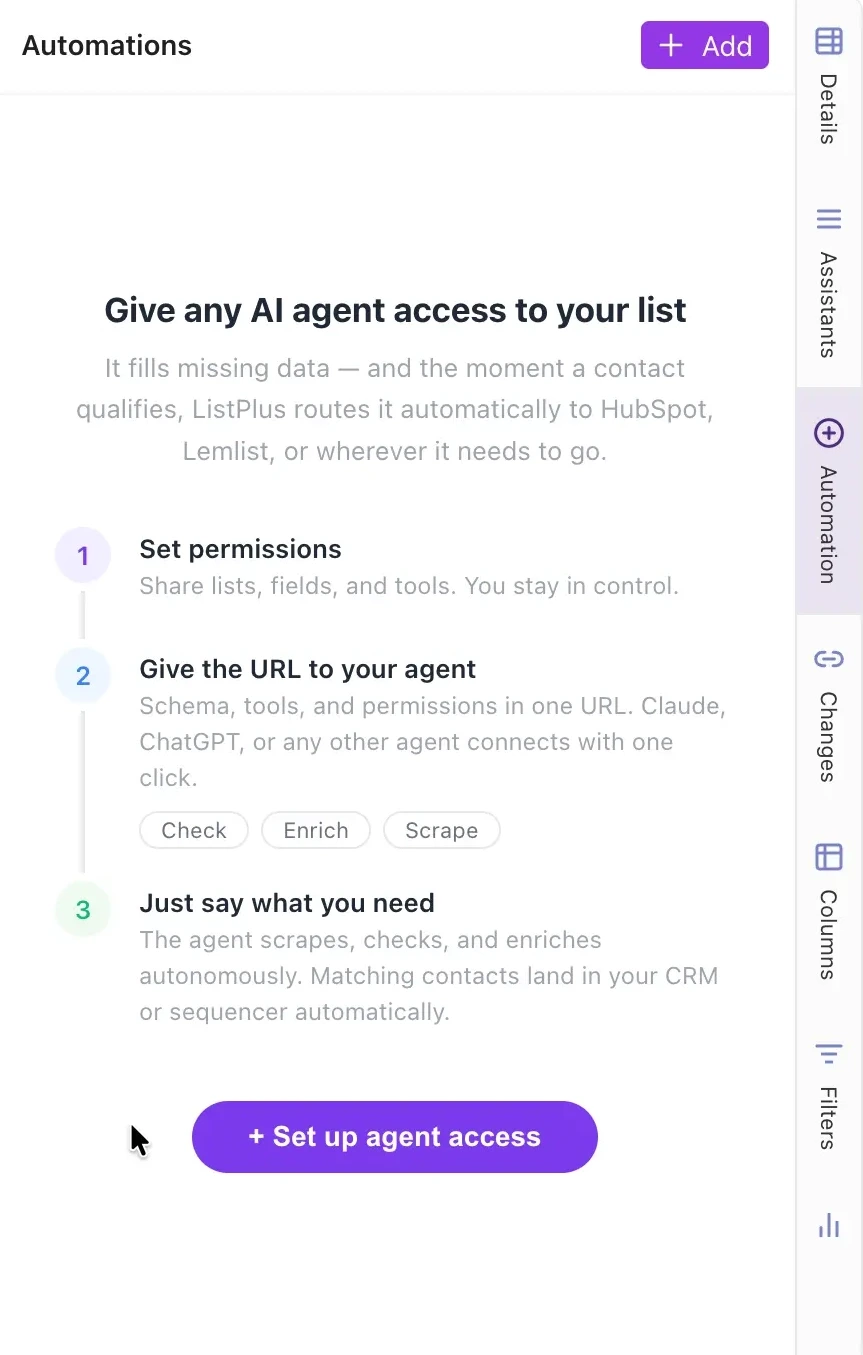
Agent-Zugang einrichten
Das Automations-Panel führt dich durch drei Schritte: Berechtigungen setzen, URL teilen, Agent arbeiten lassen. Klicke auf „Agent-Zugang einrichten“.
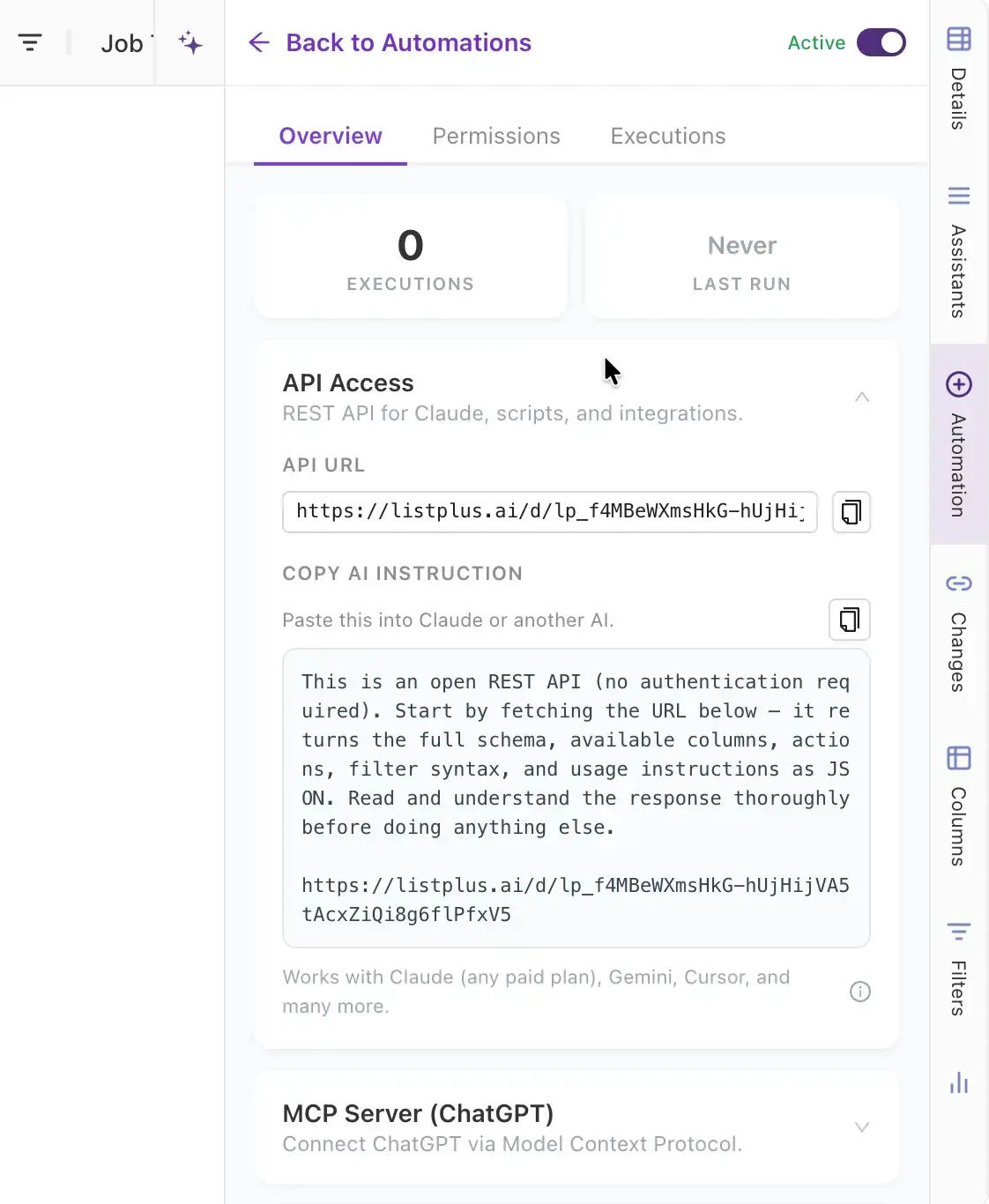
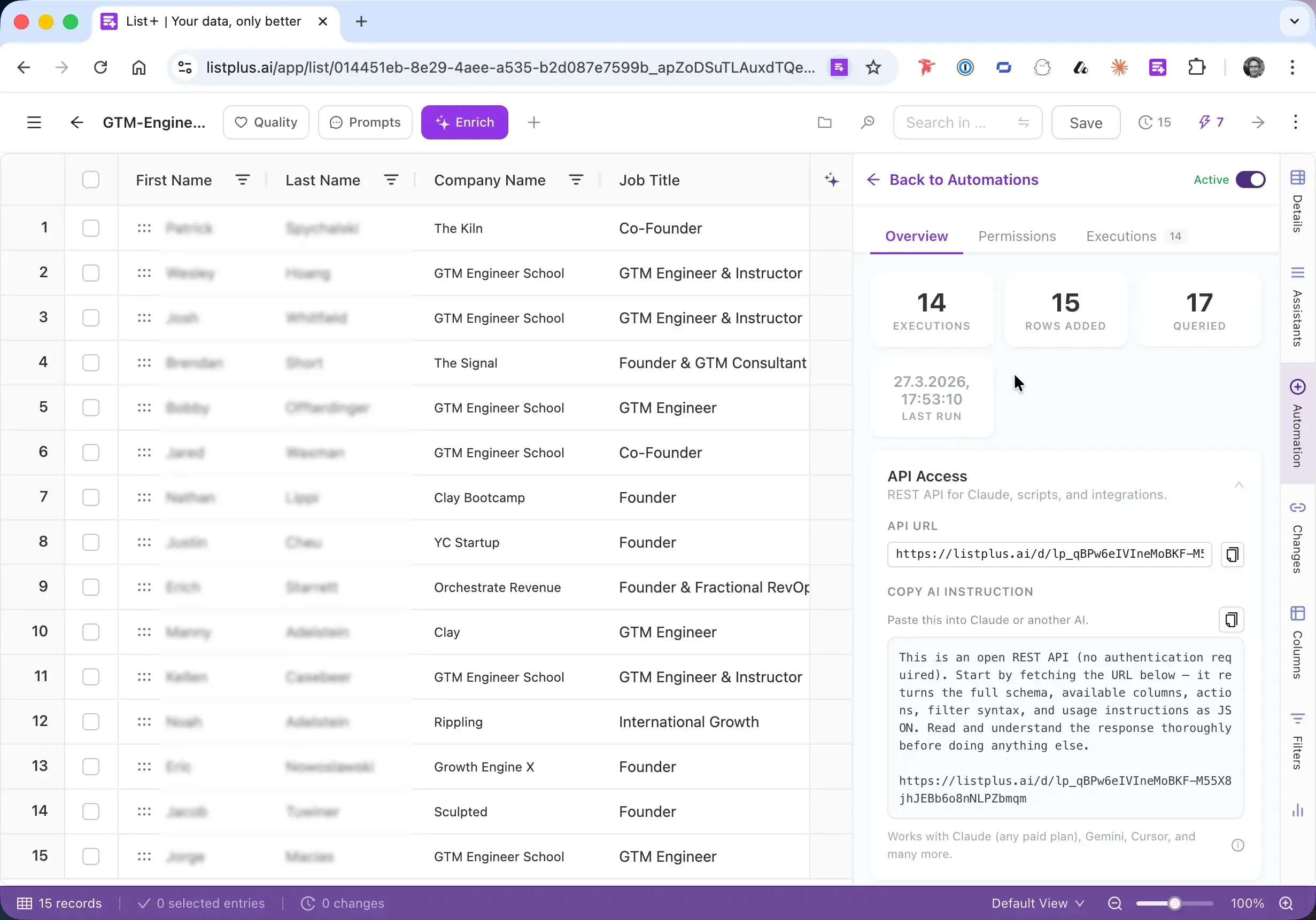
Briefing für deine AI kopieren
ListPlus generiert einen fertigen Instruktionsblock mit deiner API-URL. Er enthält Schema, verfügbare Actions, Filter-Syntax und Nutzungsregeln — alles was die AI braucht.
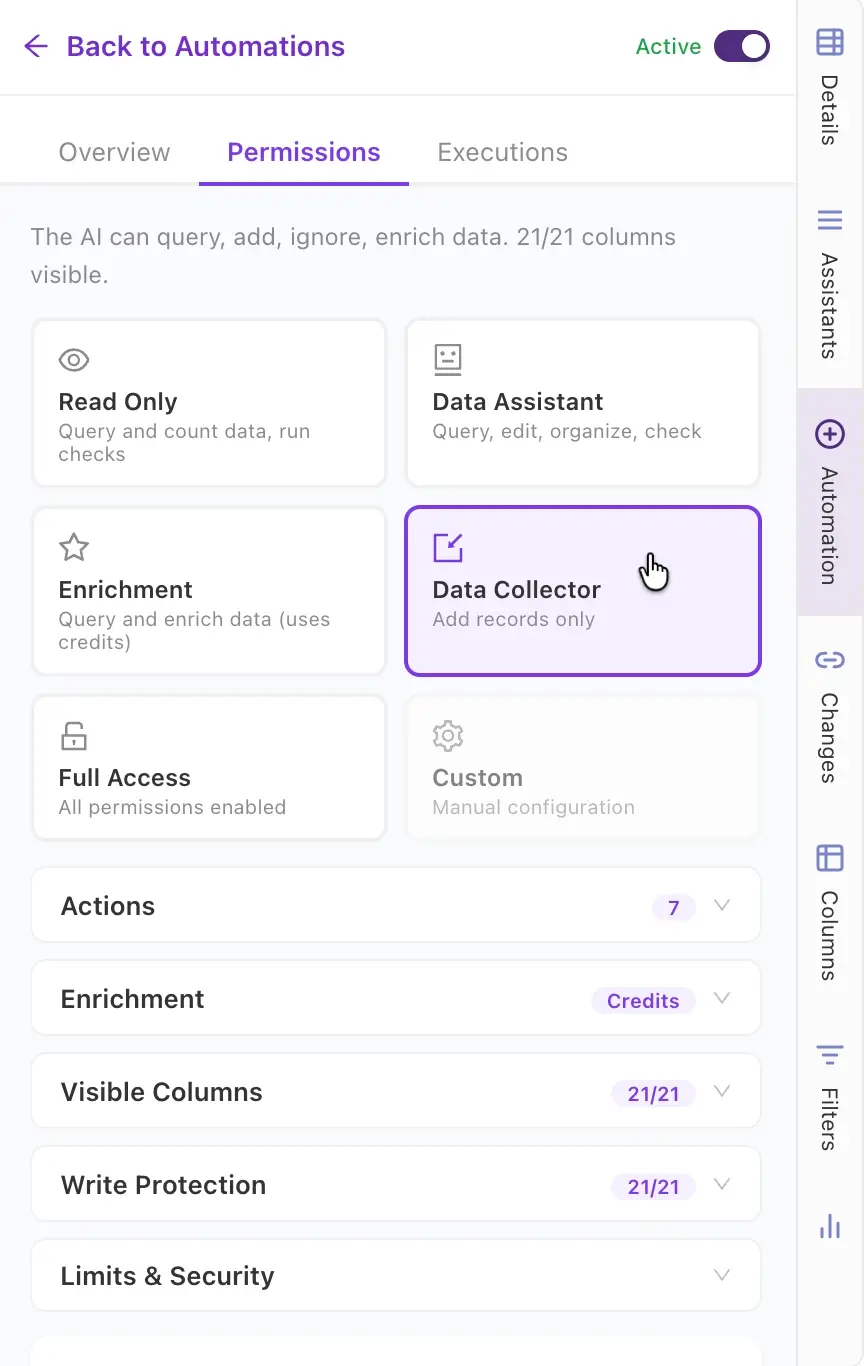
Berechtigungen und Tools festlegen
Wähle eine Rolle wie „Data Collector“ (nur Datensätze hinzufügen) oder lege genau fest, welche Actions der Agent nutzen darf — Google Search, Reddit Search, Enrichment, Quality Checks und mehr.
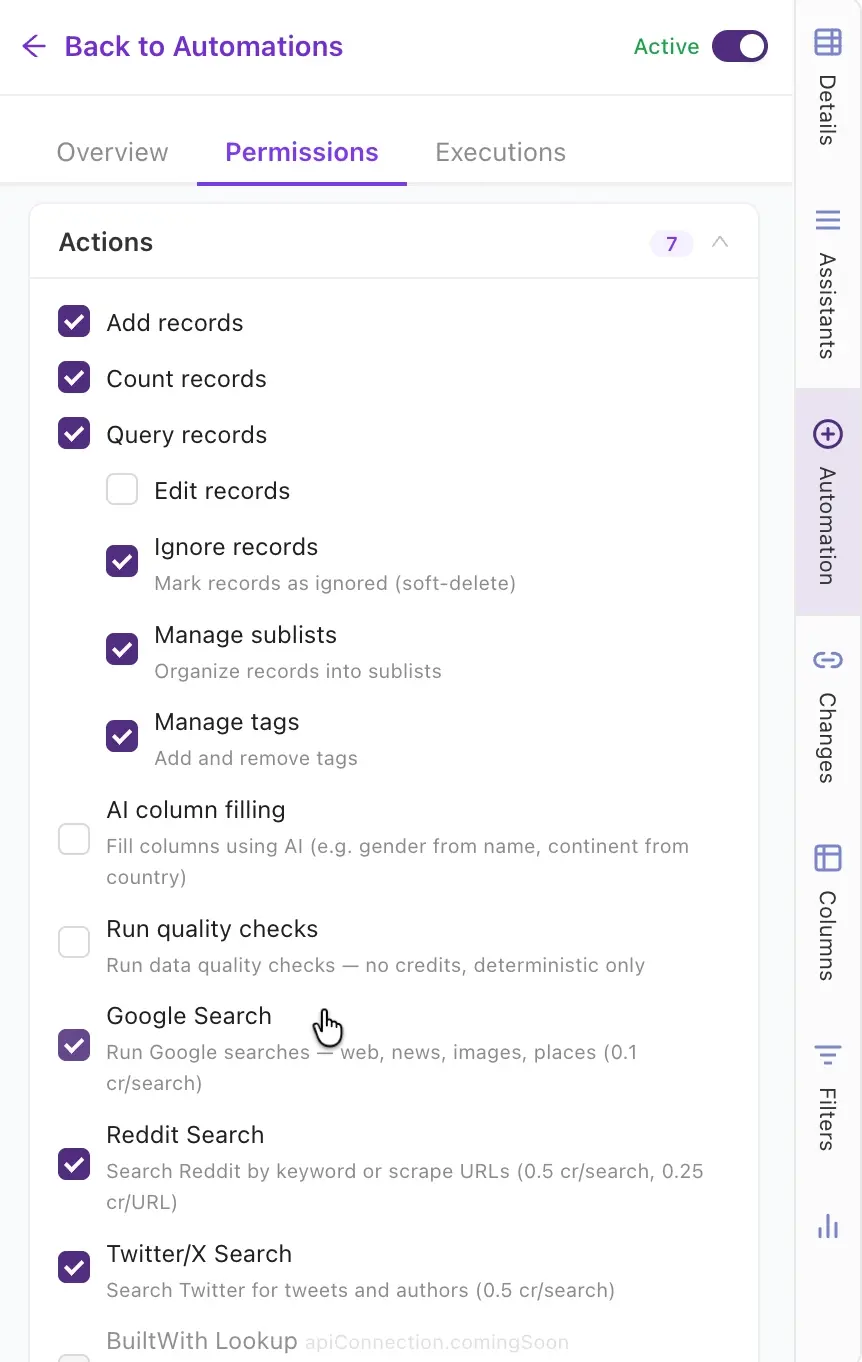
Actions feinjustieren
Aktiviere oder deaktiviere einzelne Tools: Web Scraping, Google/Reddit/Twitter Search, AI Column Filling, Enrichment, Tagging, Quality Checks. Du entscheidest, was der Agent darf.
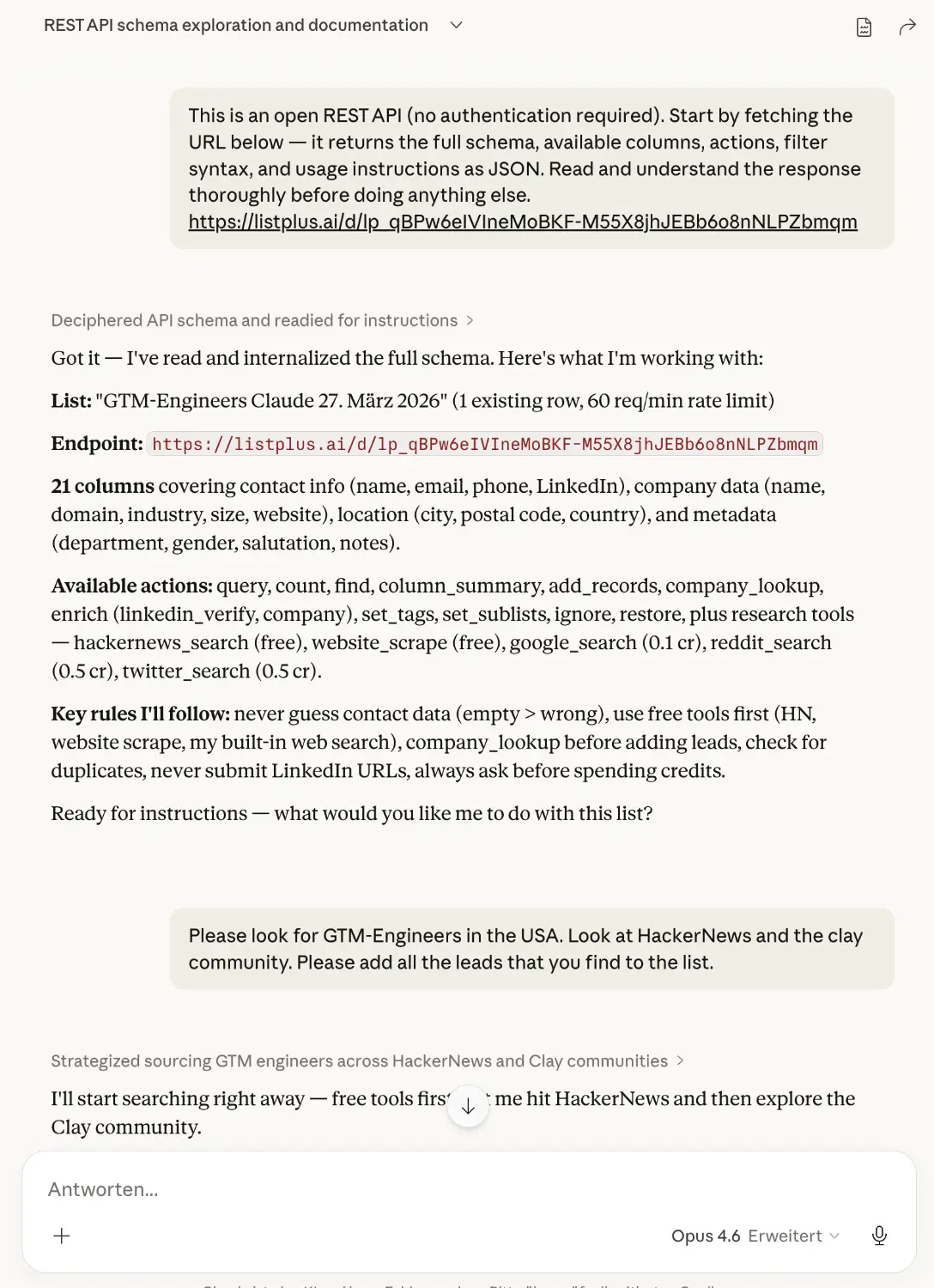
In Claude einfügen und loslegen
Füge die Instruktion in Claude Desktop (oder eine andere AI) ein. Sie liest das Schema, versteht Spalten und Regeln und fragt, was du brauchst. Sag ihr: „Finde GTM-Engineers in den USA. Schau auf HackerNews und in der Clay-Community.“
In Claude: Einstellungen > Capabilities > „Allow network egress“ aktivieren, Domain-Allowlist auf „Package managers and specific domains“ setzen und listplus.ai hinzufügen. Claude Docs →
Ergebnisse in Echtzeit verfolgen
Der Agent recherchiert autonom — durchsucht das Web, fügt Datensätze hinzu, prüft auf Duplikate. Neue Einträge werden automatisch in Sublisten sortiert. Wenn ein Lead qualifiziert ist — z. B. eine Senior-Position bei einer Zielfirma — startet die Anreicherung: LinkedIn-Profile, verifizierte E-Mails, Telefonnummern. Du bestimmst, welche Leads die Enrichment-Kosten wert sind.
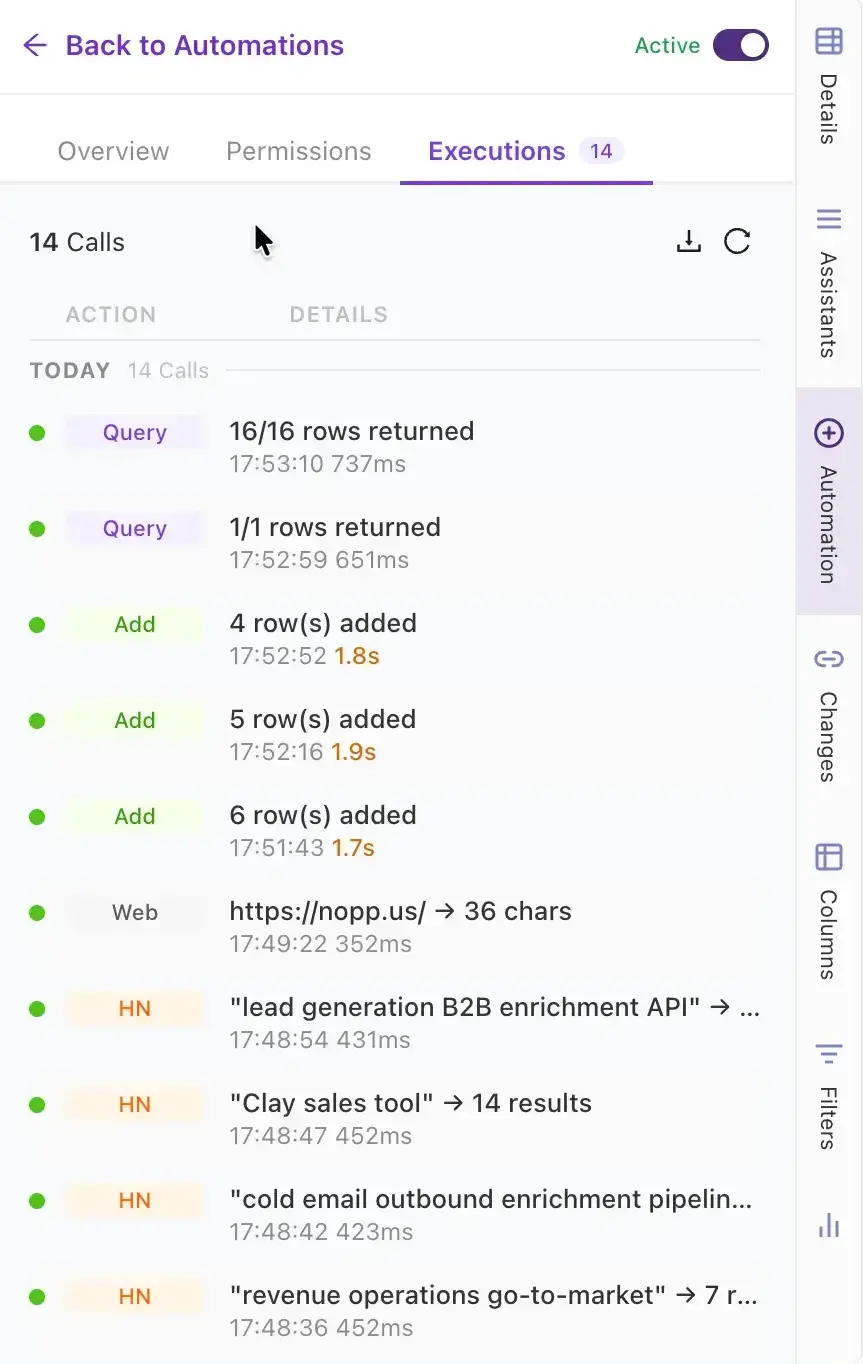
Jede Aktion nachverfolgen
Der Executions-Tab protokolliert jeden API-Call des Agenten — Abfragen, Hinzufügungen, Web-Suchen, Enrichment-Lookups. Volle Transparenz, was der Agent getan hat und wann.
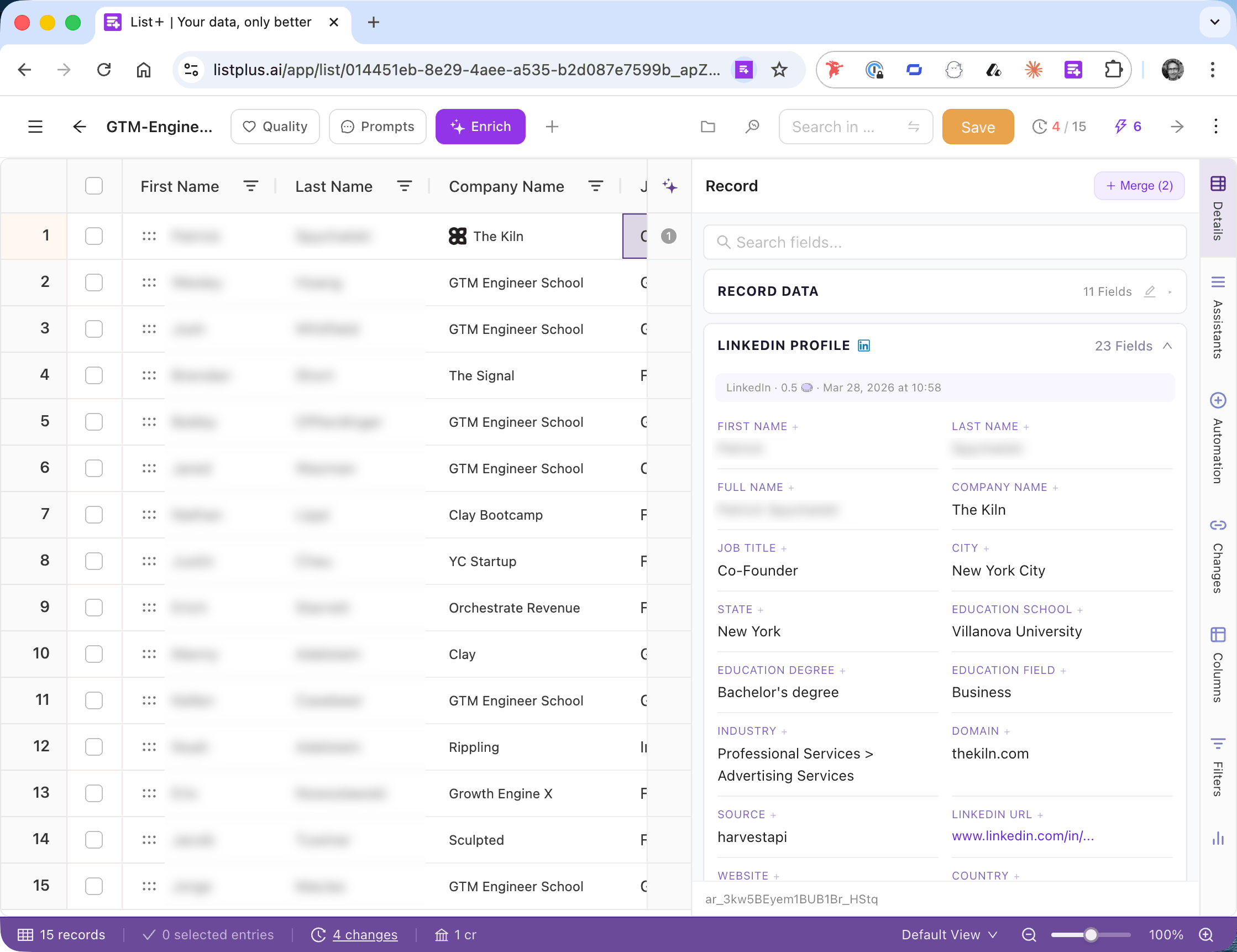
Recherchierte Leads — bereit zum Weiterleiten
Jeder Lead kommt mit Kontext, den die AI gefunden hat — Notizen wie „Featured im GTM Engineer School Podcast“, Firmendetails und Enrichment-Daten. Qualifizierte Kontakte werden automatisch in Sublisten strukturiert und können an dein CRM, deinen Sequencer oder dein Outreach-Tool weitergeleitet werden.
Frequently Asked Questions
Nein. Du erstellst eine Liste, setzt Berechtigungen mit wenigen Klicks und kopierst eine Instruktion in deine AI. Kein SDK, keine API-Integration, kein Coding nötig.
Jede AI, die HTTP-Requests machen kann. Claude Desktop, ChatGPT, Gemini, Open-Source-Modelle oder eigene Agents. Einfach Instruktion und URL einfügen.
Setup dauert ca. 2 Minuten. Sobald der Agent startet, erscheinen Ergebnisse innerhalb von Sekunden. Eine komplette Liste mit 15–50 Leads kann in unter 10 Minuten aufgebaut werden.
Ja. Jeder Agent bekommt einen eigenen, widerrufbaren Access-Token mit granularen Berechtigungen. Du kontrollierst genau, welche Spalten und Actions der Agent nutzen darf. Alle Daten sind verschlüsselt. Die AI sieht nie deine eigentlichen Daten — sie erhält Befehle, nicht Kontakte.
Schluss mit manueller Lead-Recherche
Erstelle eine Liste, briefe deine AI und lass sie deine Pipeline aufbauen — dedupliziert, angereichert und automatisch weitergeleitet.
Start Free