The Clearbit Connect Replacement — Built for Outlook, Not Chrome
Clearbit Connect is gone. ListPlus picks up where it left off — inside Microsoft Outlook, where your inbox actually is. Verified emails, company enrichment, LinkedIn profiles. One click, no browser extension, no Chrome dependency.
Install from Microsoft StoreConnect Was Never Going to Survive the Browser Treadmill
Even before HubSpot pulled the plug, the whole Chrome extension model was running out of road. Here's why the Outlook-native approach is the sensible move, not a compromise.
Every browser update narrows what extensions can do. API access, background workers, content scripts — all more restricted with each release. Extensions age fast, and maintaining them is a treadmill.
Chrome extensions only work when you have Gmail open in a browser tab. If your team is on Outlook Desktop, Outlook for Mac or Outlook on the Web inside the Office app, a Chrome extension is useless.
Corporate IT locks down browser extensions for good security reasons. Getting a new extension approved often takes longer than getting an Office Add-in deployed from the Microsoft Store.
Clearbit Connect was wired into a single proprietary data source. If that source didn't have the sender, you got nothing. Modern enrichment has to cascade across multiple providers — a single-source extension can't compete.
Everything Connect Did — Inside Outlook
ListPlus delivers the same daily moment Clearbit Connect used to: you open a cold email, a sidebar tells you who this person is, and you decide whether to reply. Here's how it does it.
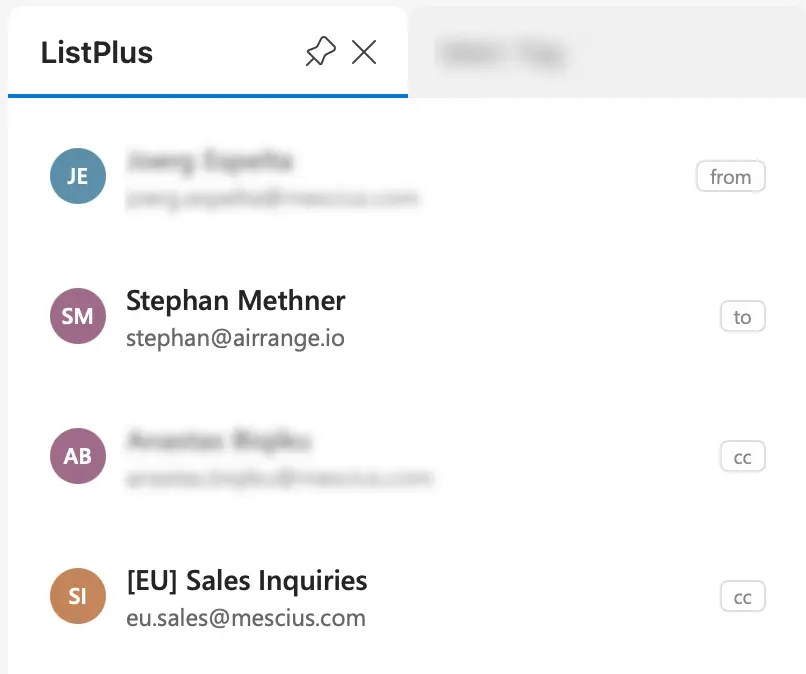
Open any email in Outlook and ListPlus instantly identifies the sender, recipients and everyone who replied earlier in the thread. Calendar events work the same way — every attendee gets a contact card.
- From, To, CC and full thread participants identified automatically
- Calendar attendees ready to enrich the same way
- Personal domains (gmail.com, outlook.com) filtered out of company lookups
- The content of your email is never read, stored or sent anywhere

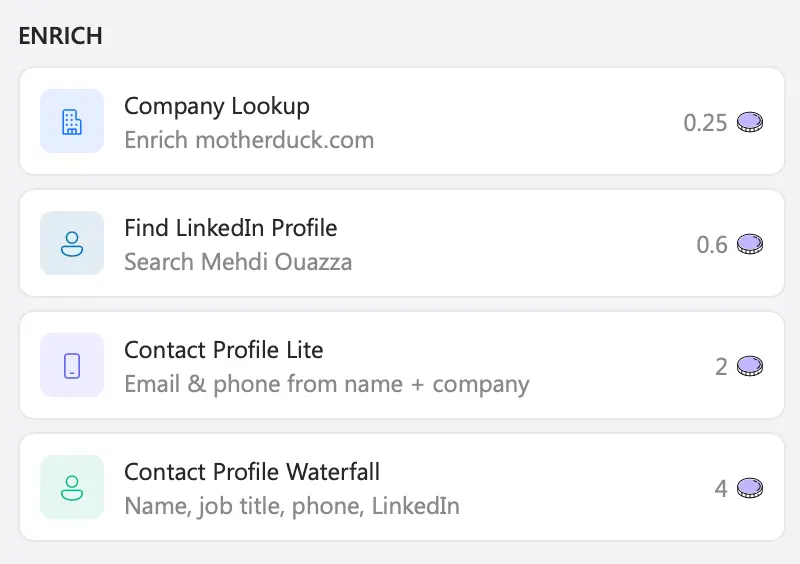
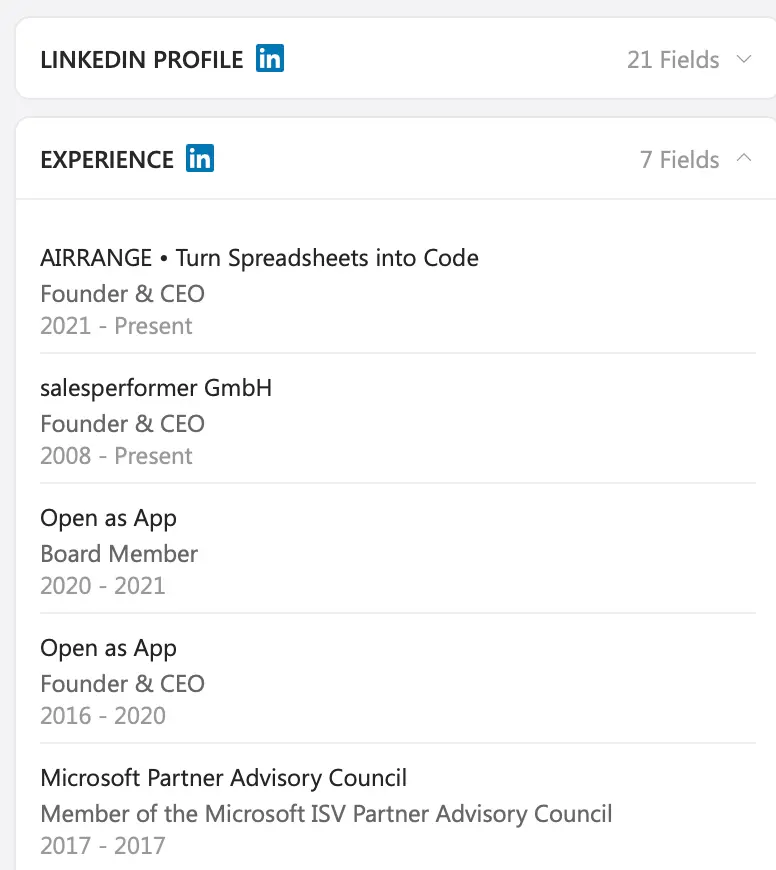
Clearbit Connect gave you a verified email and a quick company card. ListPlus does that and keeps going — company intelligence, full LinkedIn profile, phone numbers, decision-maker signals. All from the same sidebar, all without leaving Outlook.
- Verified emails from a multi-provider waterfall
- Company intelligence: industry, size, revenue range, tech stack
- Full LinkedIn profile with headline, experience and education
- Phone numbers and decision-maker signals on every contact

Clearbit Connect ran on one proprietary source. ListPlus cascades through multiple B2B data providers — FullEnrich, Prospeo, CompanyEnrich, HarvestAPI, Enrich.so, Serper, MillionVerifier — until verified data appears. If the first misses, the next tries.
- Automatic provider waterfall per contact
- Per-action control — fetch only what you need
- Verified results or nothing — no empty-lookup charges
- Quality checks before data reaches your CRM

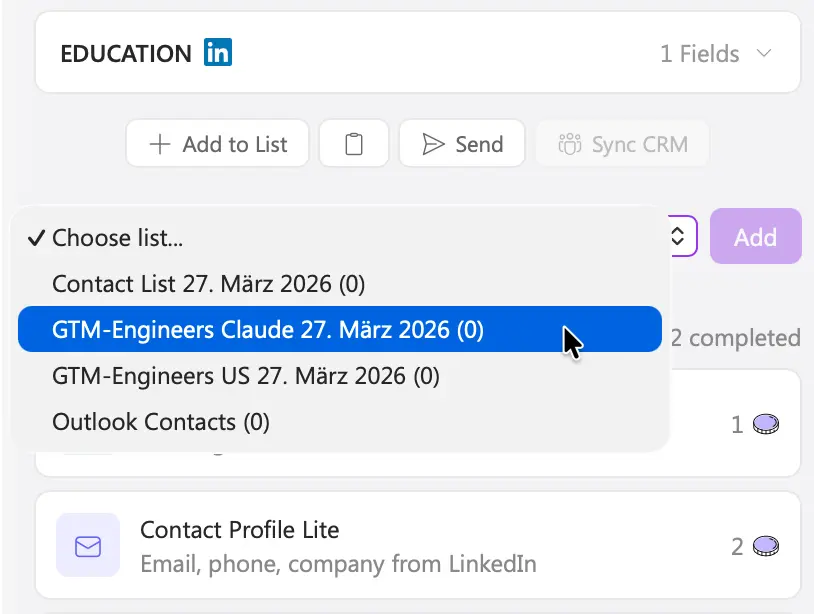
Add the enriched contact to a ListPlus list, send it to Power Automate, Zapier or Make, or sync it to HubSpot, Salesforce or Pipedrive via the ListPlus web app. No copy-paste, no CSV exports.
- Add to List — push contacts into any ListPlus list
- Send to Webhook — Power Automate, Zapier, Make
- CRM sync via the web app — HubSpot, Salesforce, Pipedrive
- Cross-device sync — login once, token follows you everywhere

Clearbit Connect vs. ListPlus for Outlook
Three Steps. About Two Minutes. Zero IT Tickets.
Install
Get ListPlus for Outlook from the Microsoft Store — listed as “ListPlus — Contact Enrichment for Outlook”. Click Get it now, pick your account, done.
Open Any Email
Click the ListPlus icon in your Outlook ribbon. The sidebar opens and identifies everyone in the conversation — sender, recipients, CC, earlier replies.
Enrich and Act
Pick the data you need — company, LinkedIn, contact details. Push the enriched contact to a ListPlus list, a webhook or your CRM. All without leaving Outlook.
Frequently Asked Questions
Install ListPlus for Outlook — Free to Start
From the Microsoft Store · Free plan · No credit card · Works on Desktop, Web and Mac