Read an email
See the sender and recipients together in the sidebar.
 ListPlus for Outlook
See the people, companies and professional profiles behind your conversations. Choose the details you need, then take the next step, from the Outlook sidebar.
Outlook for Windows, Mac & the web

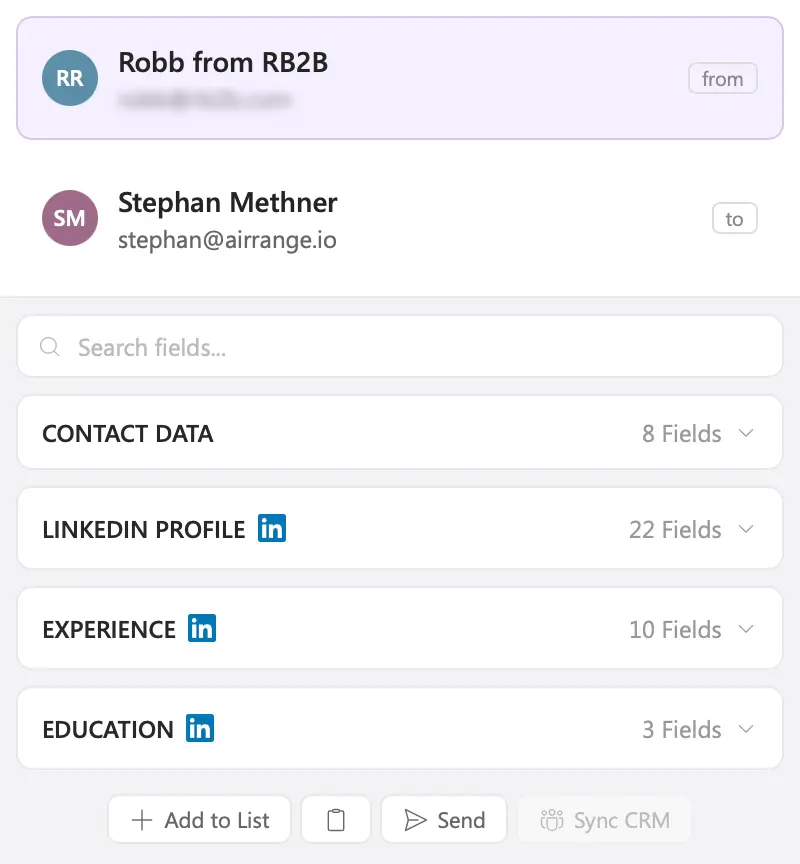
Start with the people in your message. Open a contact to see what is known about their role, company and professional background.
See the sender and recipients together in the sidebar.
Look up the people you are addressing while composing.
See the organizer and attendees of a calendar event.
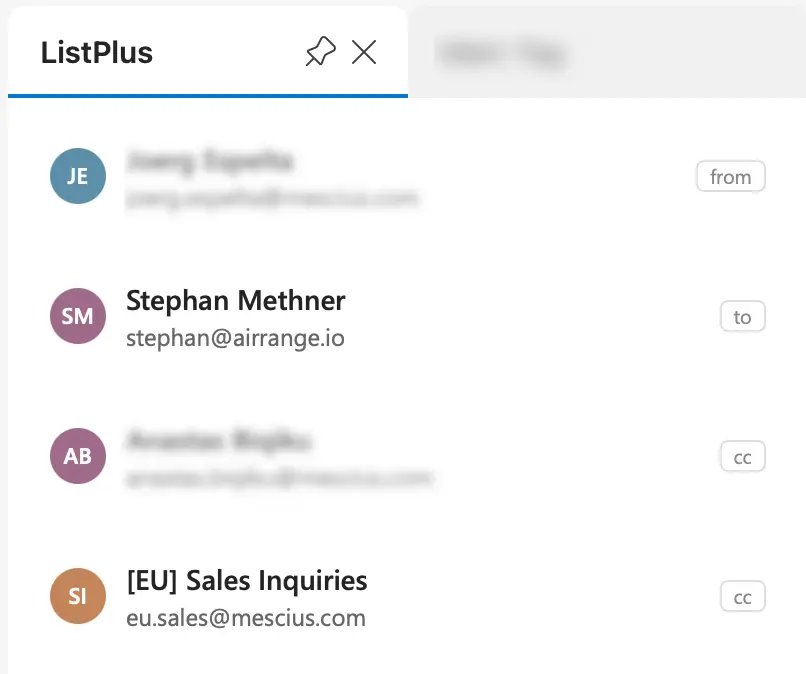
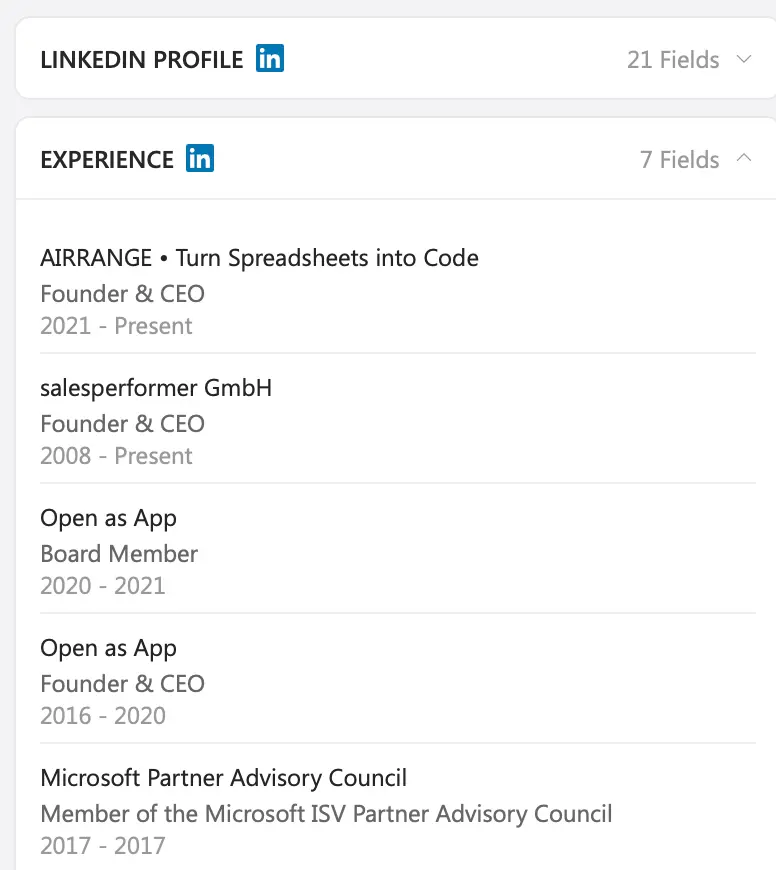
Understand who you are talking to before you decide how to follow up.
LinkedIn profile, current role, work history and education. Understand the person's experience and responsibilities.
Industry, company size, revenue range, location and website. Put the conversation in the context of the account.
Available fields depend on the contact, the source and the enrichment you choose.
Need the company context, a LinkedIn profile or another way to reach someone? Run just that enrichment from the contact.
Explore checks & enrichment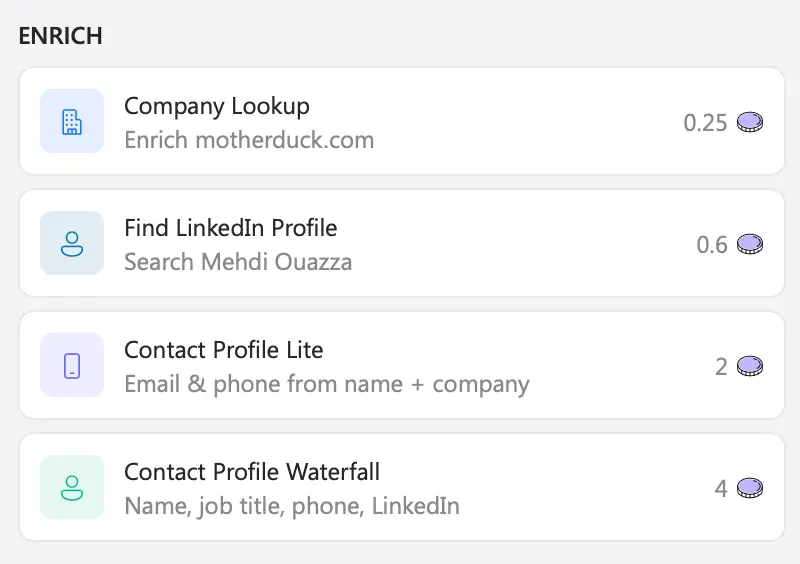
Industry, size, location and website for the sender's domain.
Find the profile and read the professional background.
Email and phone via a single provider or the full waterfall.
The credit cost is shown on every action before you run it. A lookup may return only part of the requested information, and e-mail and phone lookups are charged only when found.
A contact you research in Outlook can join the same ListPlus workflow as the rest of your leads.
ListPlusEvery enrichment creates or updates the contact in your Outlook Contacts list. Use Add to List when you want to work in another list.
Run the list's checks and enrichments, then use the integration or export you have set up for the next step.
 HubSpot
 Salesforce
 Pipedrive
Sync to HubSpot, Salesforce or Pipedrive from the ListPlus web app.
Explore integrationsUse Send in the sidebar to deliver the contact to your webhook, for example a flow in Power Automate, Zapier or Make.
Open a contact, explore the profile and choose an enrichment in the Outlook sidebar.
Get the Outlook add-inOpen the Microsoft AppSource listing and add ListPlus to your Outlook account.
Choose a message or calendar event, open the add-in and sign in to ListPlus.
See what is already known, then pick the enrichment you need.
Your organization's Microsoft 365 settings may require administrator approval.
Plans & creditsListPlus is an Office add-in for Outlook on Windows, Mac and the web. Availability depends on your Outlook version, your Microsoft account and your organization's add-in settings. The Microsoft listing shows the details for your environment.
Yes. The add-in is free to install and works with the free ListPlus plan. Enrichment actions use ListPlus credits, and the cost is shown on the action before you run it.
No. Opening the sidebar identifies the participants and shows what is already known. You choose which enrichment to run, one contact at a time.
Only to find email addresses. The add-in lists the participants from the message header or the meeting. In an email you received, it also scans the message text in Outlook for further addresses, for example in a signature or a forwarded thread, and shows them under "From thread". The message text itself is not sent to ListPlus or stored; only the addresses you choose to enrich are sent.
Yes. Available LinkedIn profile information, including experience and education, is displayed inside the ListPlus sidebar. Coverage varies by profile and source.
Continue with the contact in a ListPlus list and use the CRM integration or export you have set up in the web app. From the sidebar you can also send a contact to your webhook. The Sync CRM button inside the add-in is not active yet.
Some organizations let users install add-ins themselves, others require administrator approval. Follow your organization's policy.
Bring contact research into the place where the conversation starts.
Get the Outlook add-in