Product launches
Find Heads of Growth at B2B SaaS companies that launched a product on Product Hunt this quarter.
Find contacts
Investigate an audience, search by clear criteria or look up a person. Each route leads to contacts you can check, enrich and use in your next workflow.
Research across the open web, with a complete history for each lead: the sources checked, the steps taken and the evidence behind the match.
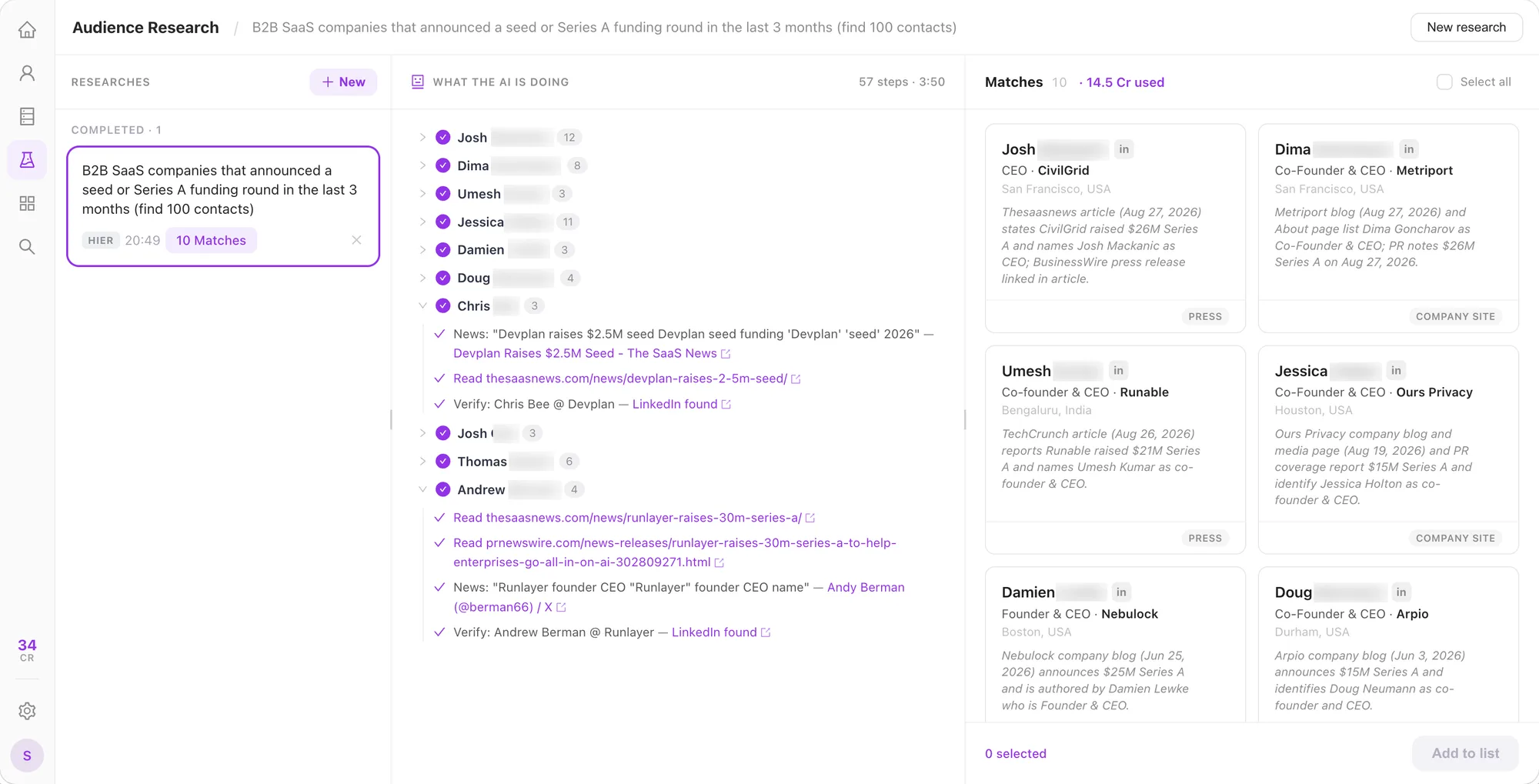
Describe who you want to find and what makes them relevant. For example:
Find Heads of Growth at B2B SaaS companies that launched a product on Product Hunt this quarter.
Find founders of German fintech startups that announced their first funding round in the last three months.
Find Sales and RevOps leaders discussing contact-data quality problems on G2 or Reddit.
Search 300 million profiles from external data sources. Combine people, company and signal filters to narrow your audience.
Explore the databaseCombine role, company size, location and signals. Or describe your criteria and let ListPlus build the filters.
See matching people and companies with the email and phone details that are available.
Select the contacts you want. Check and enrich them for your next workflow.
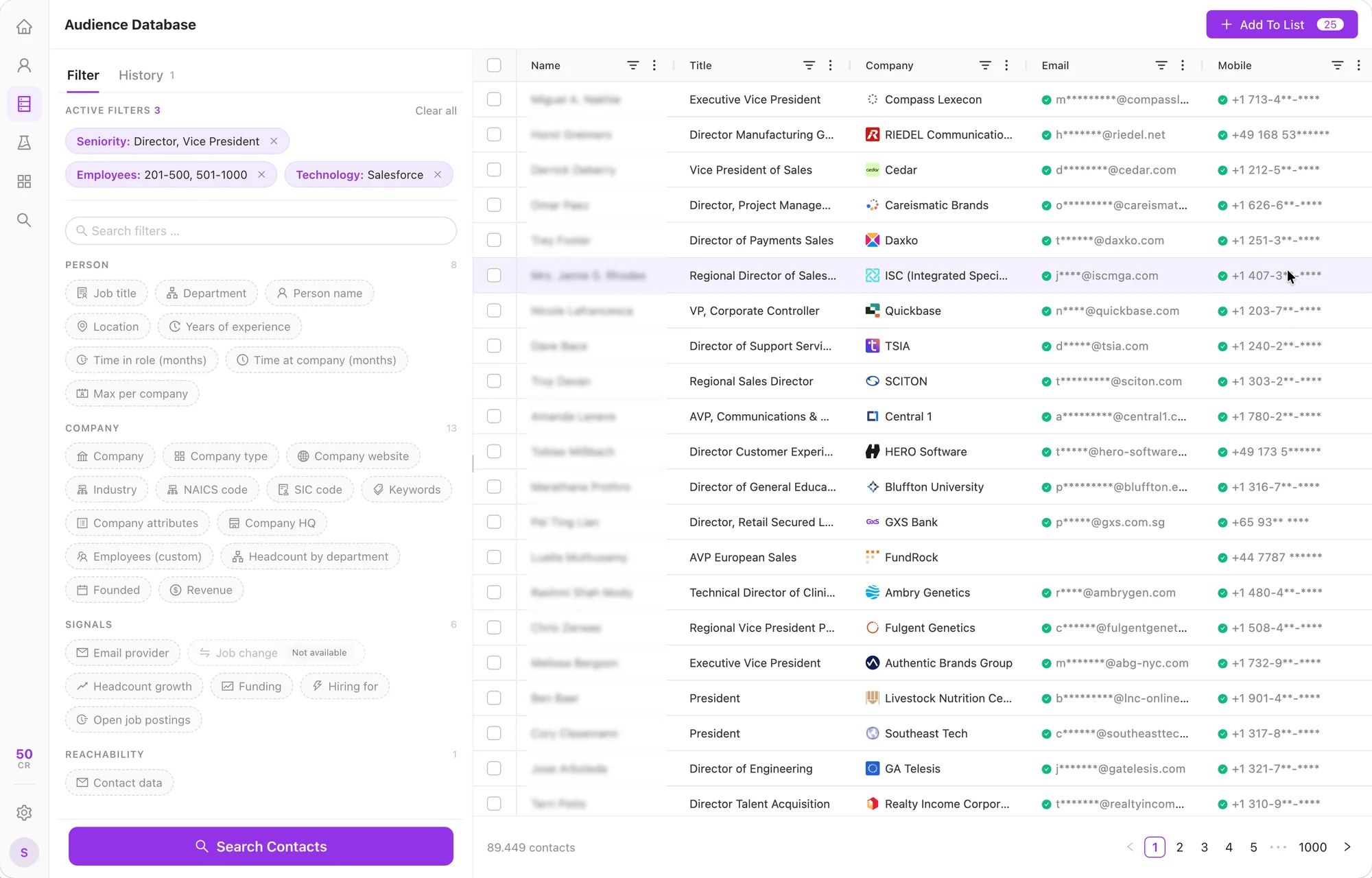
The 300M coverage comes from data providers. ListPlus does not own a contact database; available fields vary by profile.
Start with a name and company, an email address or a LinkedIn URL.
Satya Nadella, Microsoft
Compare company, role and location to tell people with similar names apart. Open the profile for work history and background.
Request a work email or phone number. Use the one-click actions in the profile for news, posts and more context.
Add the contact to a list, run the quality checks and prepare it for your CRM or outreach workflow.
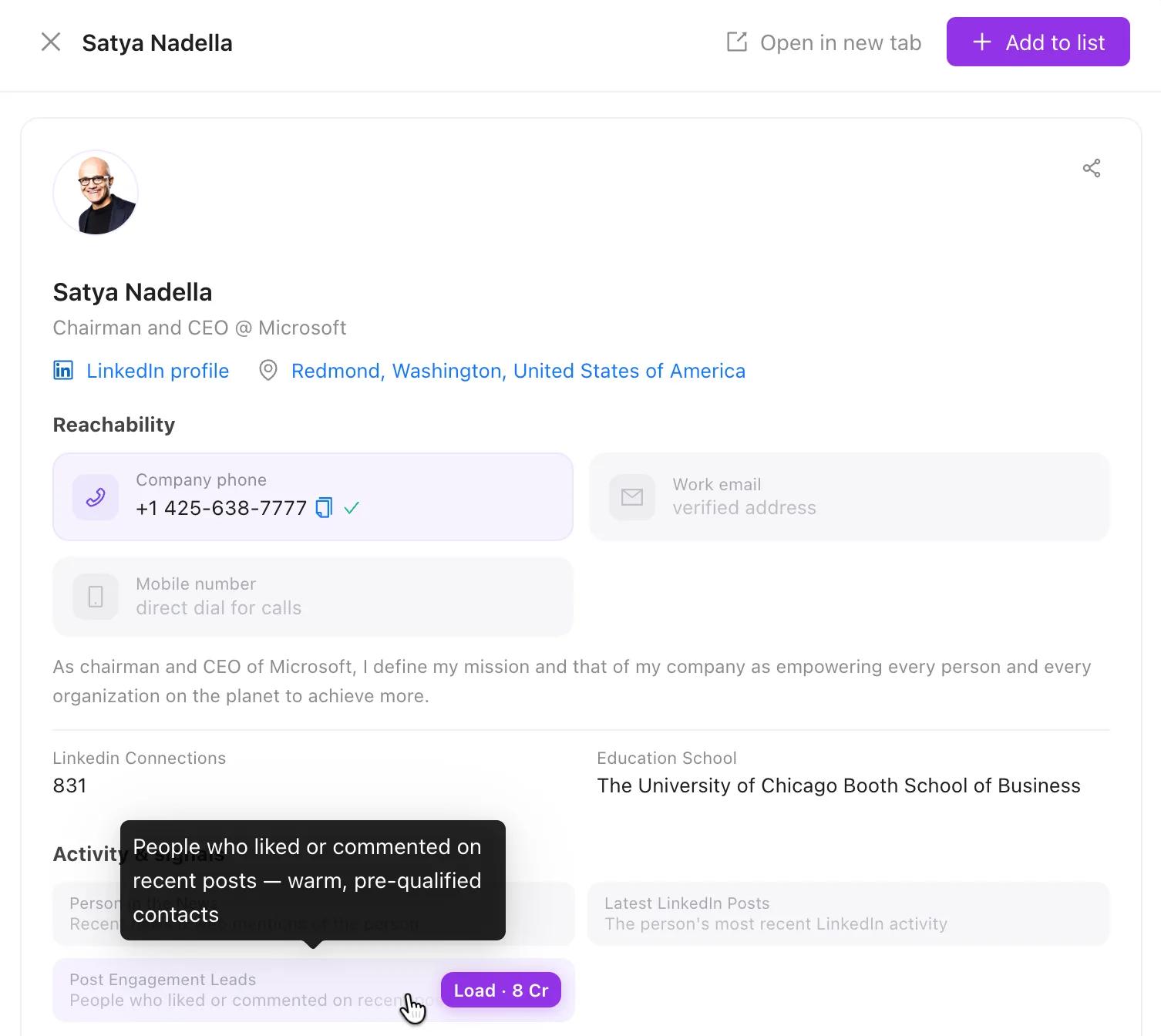
Request contact details, recent news, LinkedIn posts or the people engaging with those posts. Add the contact to a list to continue.

Use the Outlook add-in to research a sender while you work.
No. A search can identify a relevant person before an email or phone number is available. Request the details you need and review their verification status. Finding the person and verifying an email are separate steps.
Yes. Research a company, look up a specific person or use database filters for a wider audience. All contacts land in lists that use the same checks and enrichment.
Yes. A ListPlus connection gives your agent access to research, quality checks and enrichment with the fields and actions you permit. Agent API access is included in Premium.
Research is charged per request or result batch, enrichment only when data is found. There is no fixed price per completed lead. Plans and rates are on the pricing page.
A name, a company or an idea. That’s all you need to start.
Start your search