LinkedIn leads into n8n: one webhook from a free Chrome extension
LinkedIn has no API for other people's profiles, so the trigger has to come from the browser. Here is the payload, the setup and a workflow template you can import.
Search for n8n and LinkedIn and you get post schedulers and scrapers promising unlimited leads. Neither helps when the job is smaller: a rep looks at a profile, decides it is a lead, and your flow should take over from there. The flow was never the hard part; the trigger is, because LinkedIn offers no API for other people's profiles and no webhook for “someone on my team found a lead”.
So the trigger comes from the browser: a free Chrome extension posts one JSON document to a webhook you own, and n8n does the rest. The template is further down.
Where the POST comes from
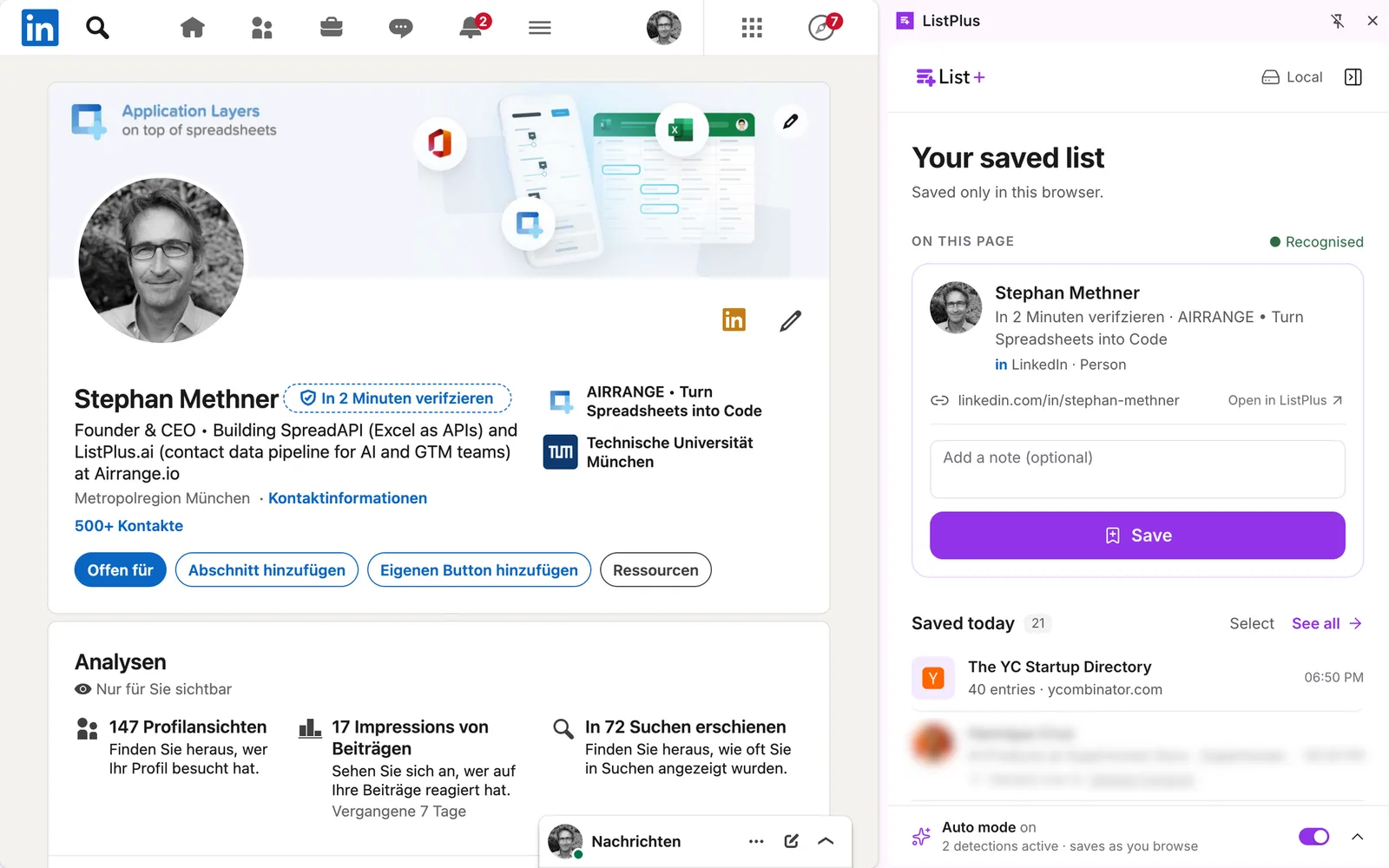
The ListPlus Chrome extension is a saved list in the browser. On a LinkedIn profile or company page you click Save, add a note if you like, and the entry waits in the panel until you hand it over. The target can be a ListPlus list or an address of your own: an n8n webhook, Make, Zapier, a Clay table's webhook, your server, no ListPlus account needed. The list is stored in your Chrome profile, ListPlus keeps nothing of it centrally, and the POST goes straight from the browser to your endpoint.
On LinkedIn the extension stores by default only the page address and the name from the tab title; it does not read the page. Reading headline, company and location is a switch you turn on yourself, next to a reminder of LinkedIn's User Agreement. Off, a person arrives as a name and a URL; the rest is your enrichment's job.
Set the endpoint
- In n8n, add a Webhook node, method POST, and copy its Production URL (the template below has it already).
- In the extension, open the settings (the cog in the header), choose Own endpoint and paste the URL as Endpoint address. Use https; with plain http the extension warns that the data goes out unencrypted.
- Open Authentication header (optional), enter a name such as X-Api-Key and its value; it stays in this browser. In n8n, set the Webhook node to Header Auth with the same name and value.
- Click Send test: a sample entry goes out and the extension shows the response status. Then Save. Chrome asks once for permission to reach that host.
From then on the hand-over button is a menu with To ListPlus … and Send to own endpoint. The second posts the selection in one click, notes included; each entry then shows your endpoint's host under Handed over to. A folder goes the same way with Hand all over.
The payload
Every send is one POST with Content-Type application/json, no cookies and a 20-second timeout. Any 2xx counts as delivered; anything else and the entries are not marked as sent. Empty fields are left out. The shortened JSON below shows the shape for one person; angle-bracket values are placeholders and optional fields appear only when available:
{
  "event": "listplus.entries",
  "source": "listplus-chrome-extension",
  "version": "1.0.0",
  "sentAt": "<ISO-8601 timestamp>",
  "count": 1,
  "entries": [
    {
      "kind": "person",
      "name": "<name from profile>",
      "url": "https://www.linkedin.com/in/<profile-id>",
      "linkedinUrl": "https://www.linkedin.com/in/<profile-id>",
      "headline": "<headline if page reading is enabled>",
      "company": "<company if available>",
      "location": "<location if available>",
      "note": "<your note if present>",
      "savedAt": "<ISO-8601 timestamp>",
      "savedBy": "manual"
    }
  ]
}
kind is person, company or page; savedBy is manual or auto. Send test adds "test": true at the top level. Further optional fields: detail, jobTitle, email, phone, website, domain, industry, companySize, employees, seniority, street, zip, city, country, folder and sentTo. An entry read from a web page has a url but no linkedinUrl, so a dedupe on the LinkedIn URL needs a fallback on name plus company.
What the n8n workflow does
The template is six working nodes. Webhook: POST on the path listplus-leads, responding immediately, so the extension sees a 200 even when a later node fails. Split Out on body.entries, one item per lead. Filter: drops a test send and every entry of kind page. Edit Fields: name split into firstName and lastName, linkedinUrl, email, jobTitle (else the headline), company, domain (else from the email), note. IF: is email empty? No: a HubSpot node, create or update contact by email, credential left for you to pick. Yes: a No-Op named Your enrichment step; replace it with whatever finds your emails.
That branch is where your stack goes. A waterfall is a chain of HTTP Request nodes to your providers, each followed by an IF that stops at the first verified hit. With a Clay table, send the item to its webhook source and let the columns do the waterfall. Whatever you pick, dedupe before you spend: a CRM search by the LinkedIn URL property, or a small data store keyed on linkedinUrl, costs nothing and saves the second lookup.
Optional: email and job title already in the payload
Logged in to ListPlus (the free Basic plan is enough), a LinkedIn profile's card shows an Enrich button with its price. One click shows a verified email, role and company data. The result stays with the entry, so email, jobTitle, domain, industry, companySize, employees and seniority travel in the next POST and the lead takes the CRM branch. It costs 2 credits, charged only on a hit: $0.07 on Pro or Premium, $0.12 on Basic. A miss is free, a repeat within 7 days too. Only that click sends the page's address to ListPlus; the saved list stays in the browser.
What it does not do
There is no retry: a send without a 2xx shows as failed in the panel, with the status and the start of the answer; you send it again by hand. The POST is not signed, so the header plus an unguessable path are your protection; put the Webhook node behind Header Auth. The list is not synced between devices, and nothing is sent unless someone clicks. If you want rules, checks and budgeted enrichment before the CRM without building them, a ListPlus list does that; it is the one part that needs an account.