Turn a speaker page, exhibitor list or investor directory into a lead list
Speaker pages, exhibitor directories and investor lists can provide public information for event preparation. How to collect it in your browser and decide what to do next.
Conference websites often publish speaker pages, exhibitor directories and investor lists. The information sits in cards on a web page, while event preparation usually needs a list you can filter by role and company. Copying those cards into a spreadsheet by hand loses their structure. The ListPlus extension can read the page in your browser and turn the cards into separate entries.
Why copying the page into a sheet fails
A speaker card may combine a photo, name, role, company and location. Paste a grid of those cards into a sheet and the fields can land together in one cell. Exhibitor pages can mix companies and people, link to booth details instead of a website and load more entries as you scroll. Separating the fields lets you filter by role and company before the event.
Reading the page in the browser
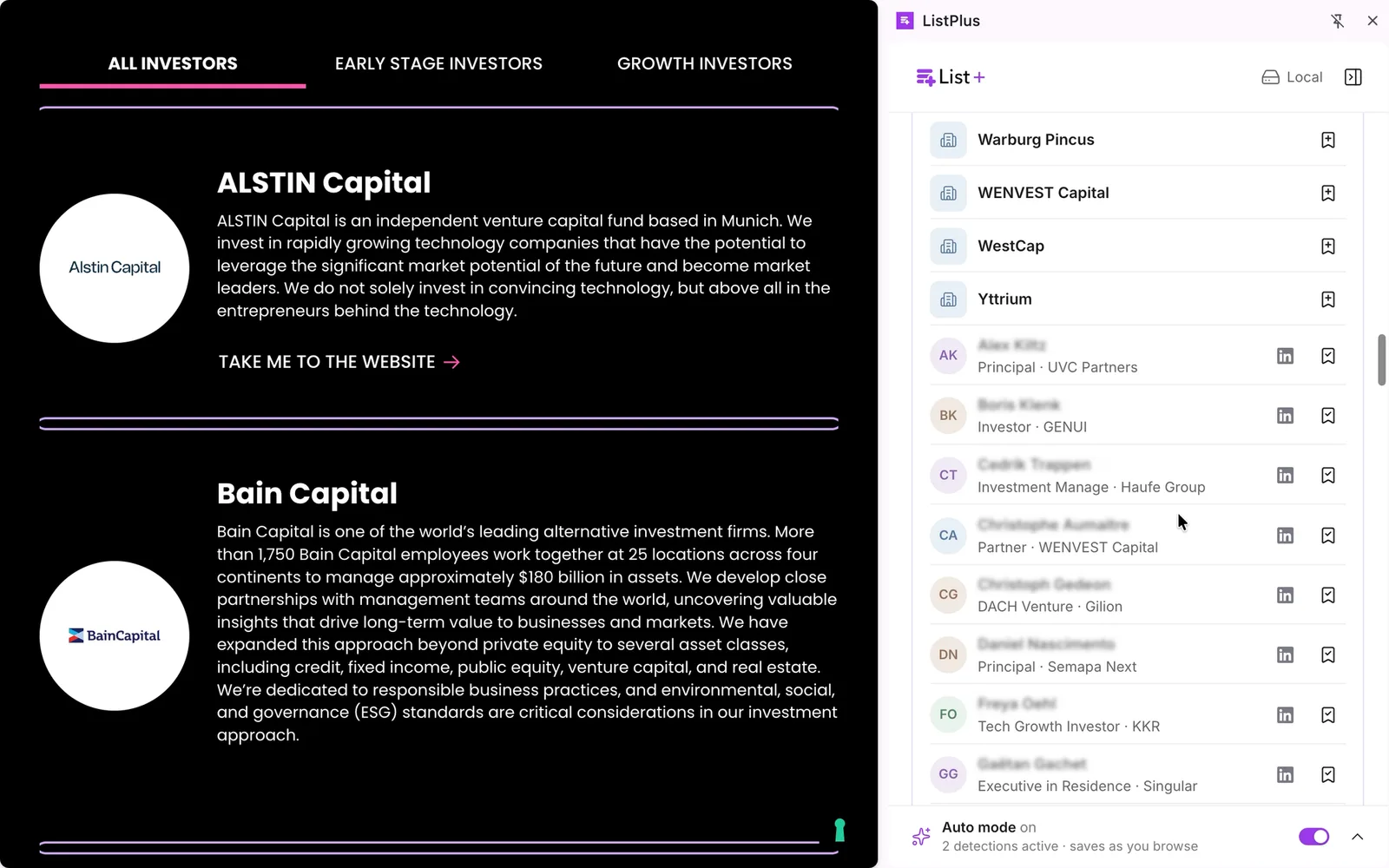
The ListPlus Chrome extension has a button for this. Open the speaker page, open the side panel and press “Find people & companies”. The extension looks for the repeated cards or rows on the page and turns each one into a record with name, role, company and place, people and companies told apart. When it is done the found cards are outlined on the page, and “Show on the page” jumps to a card so you can check it.
The reading is done by the AI built into Chrome, on your computer. Nothing of the page is uploaded to ListPlus or to any AI service. The catch is hardware: Chrome 138 or newer, about 22 GB of free disk space, and 16 GB of RAM or a graphics card with more than 4 GB of memory. The model downloads once after you press “Activate”. On a machine that does not qualify the button stays off and the extension says so; there is no cloud fallback, on purpose. Everything else in the extension keeps working.
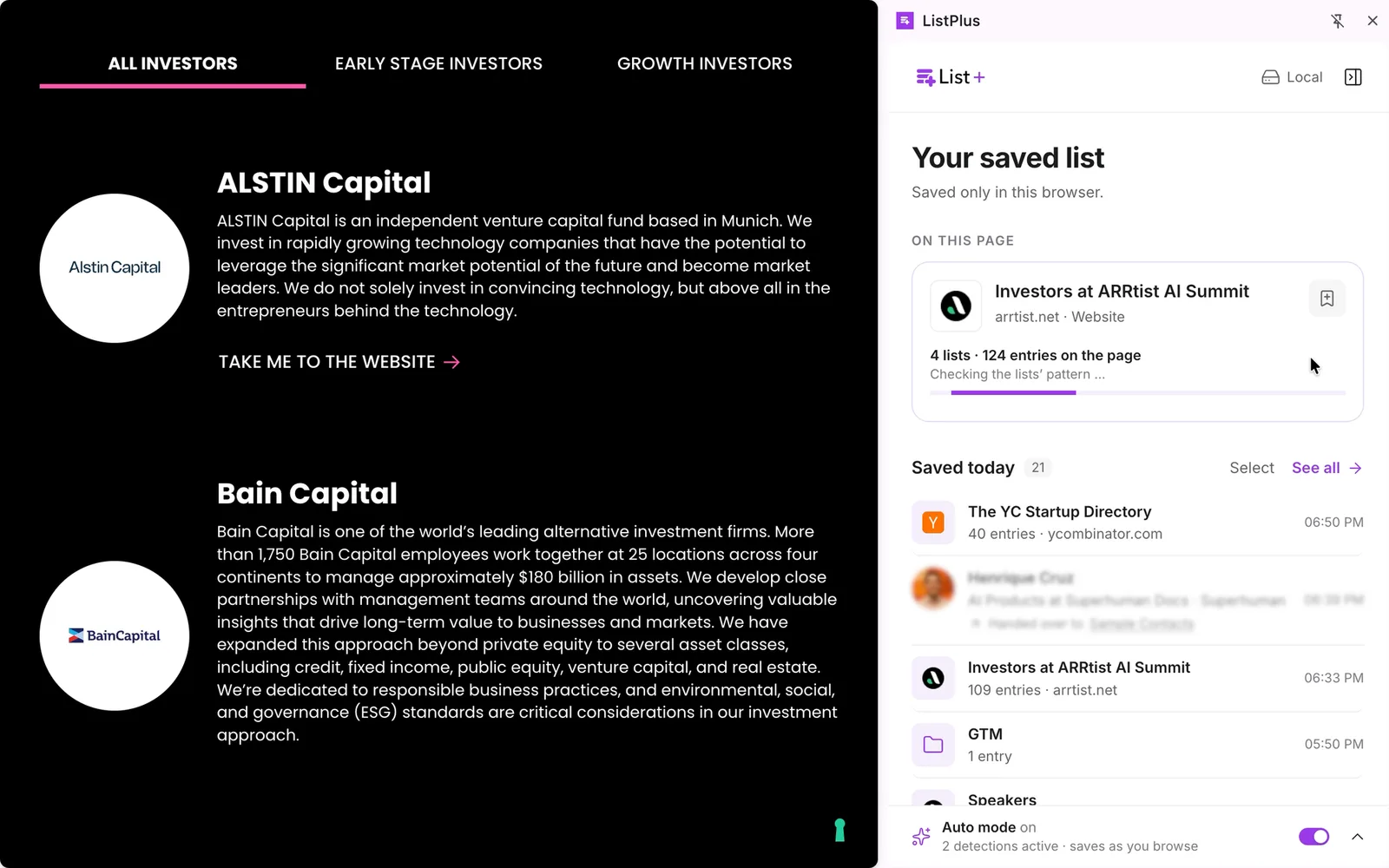
What you get, and what you don't
You get names, roles, companies and places, and contact data only where the page prints it: an email or phone number on a card is picked up by fixed rules from the card's text, not guessed by the AI. A speaker page that shows no emails gives you no emails. Every name has to stand in the text of the page; a name that only exists in an image is dropped. Entries the page loads on scroll are not there yet, so scroll to the end first and press the button again.
Pages without cards have nothing to find. An article, a product page or an agenda with a single contact ends with “Nothing found.”, and product tiles are skipped on purpose. The feature is made for websites, not for LinkedIn; there the extension saves the profiles you open, one at a time.
When the list looks right, press “Save as folder”. The entries stay together in one folder in your saved list. That folder lives in your browser; nothing has left your computer yet.
Where the list goes next
Three exits, two of them without a ListPlus account.
- Export. Every folder has an “Export” button with “Excel (.xlsx)” or “CSV (Excel, Sheets, CRM)”. Fine for a one-off list you sort and annotate yourself.
- Your own endpoint. In the settings, “Own endpoint” takes a webhook address for n8n, Make, Zapier or your own server, with an optional authentication header that stays in the browser. “Send test” posts a sample entry so you can build the flow first; after that, “Send to own endpoint” sends the folder as one JSON POST. The route for anyone with their own enrichment flow or CRM.
- Hand over to a ListPlus list. This needs a login; the free Basic plan is enough. People go to a contact list, companies to a company list, and someone already in the list is merged into their row, not added twice.
Enrich only what is worth it
The hand-over dialog has a checkbox, “Enrich in ListPlus”, off by default. Ticked, ListPlus looks for each person's LinkedIn profile by name and company and loads it; for a company found on a website it looks up the website first, then the company data. The price stands next to the option before you confirm: 0.5 credits per profile found, 0.25 per company found, nothing for a miss. Check the total for the entries you selected before confirming. A person whose card names no company cannot be looked up; the row still arrives.
You can hand over the folder first, filter the list to people who fit and enrich only those records. A verified work email from the list's Enrich menu costs 2 credits per hit. The email draft pipeline can then put a draft for each selected contact into your own Gmail or Outlook drafts; nothing goes out until you review and send it yourself.
Before you use the list
A public speaker or exhibitor page is no permission to use personal details for any purpose. If you save named contacts, record the source page in the note and keep only what you need for event preparation. Check the legal basis and information duties for your use of the data, as well as the site's terms. In Germany, advertising email generally requires prior express consent under Section 7 UWG; the exception for existing customers has specific conditions. A published address alone does not meet them. ListPlus can prepare a list or an email draft; it cannot decide whether you may send the message.